
January’s a good time to clear out the parts of your process that have gone a little stale and reset how you start ideas. Small structural changes—like working from templates instead of blank projects—can remove friction early and keep momentum focused on writing.
Below is a guide to refreshing your workflow inside Current using repeatable starting points and modular sound design. You can download each patch for free drop the XML files inside your presets folder, then treat them as foundations: swap in your own wavetables, pull alternatives from The Stream, or reroute modulation to adjust the sound without rebuilding from scratch.
Preview the patches below, and read on to get started.
808 Bass
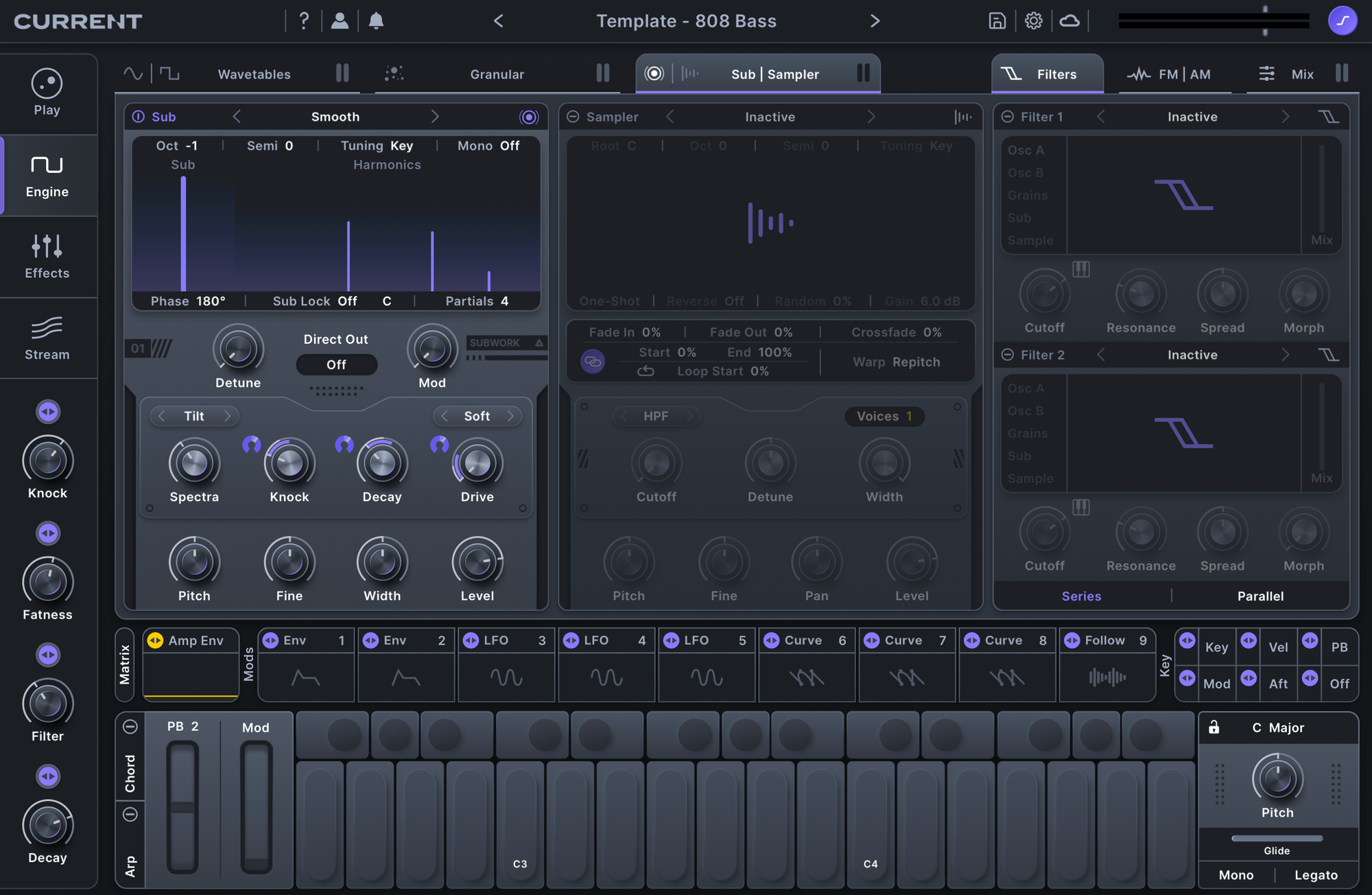
A solid 808 is key to any producer's arsenal. Instead of rebuilding the same controls every time, start by setting up a focused Sub engine patch and mapping the parameters you'll reach for in session.
In this setup, the Sub engine handles the core weight of the patch, while four macros define the character and envelope of the sound:
- Macro 1: Knock
Controls the initial punch of the 808, letting you dial in how hard it hits at the transient without touching the body. - Macro 2: Distortion
Adds harmonic content for translation on smaller systems. Push it for presence, or keep it subtle when the low end needs to stay clean. - Macro 3: Lowpass Filter
Shapes brightness and smoothness, making it easy to tuck the 808 under a mix or open it up for more presence. - Macro 4: Decay
Controls tail length, so the 808 can move from short and percussive to long and sustained without adjusting envelopes.
Analog Arp
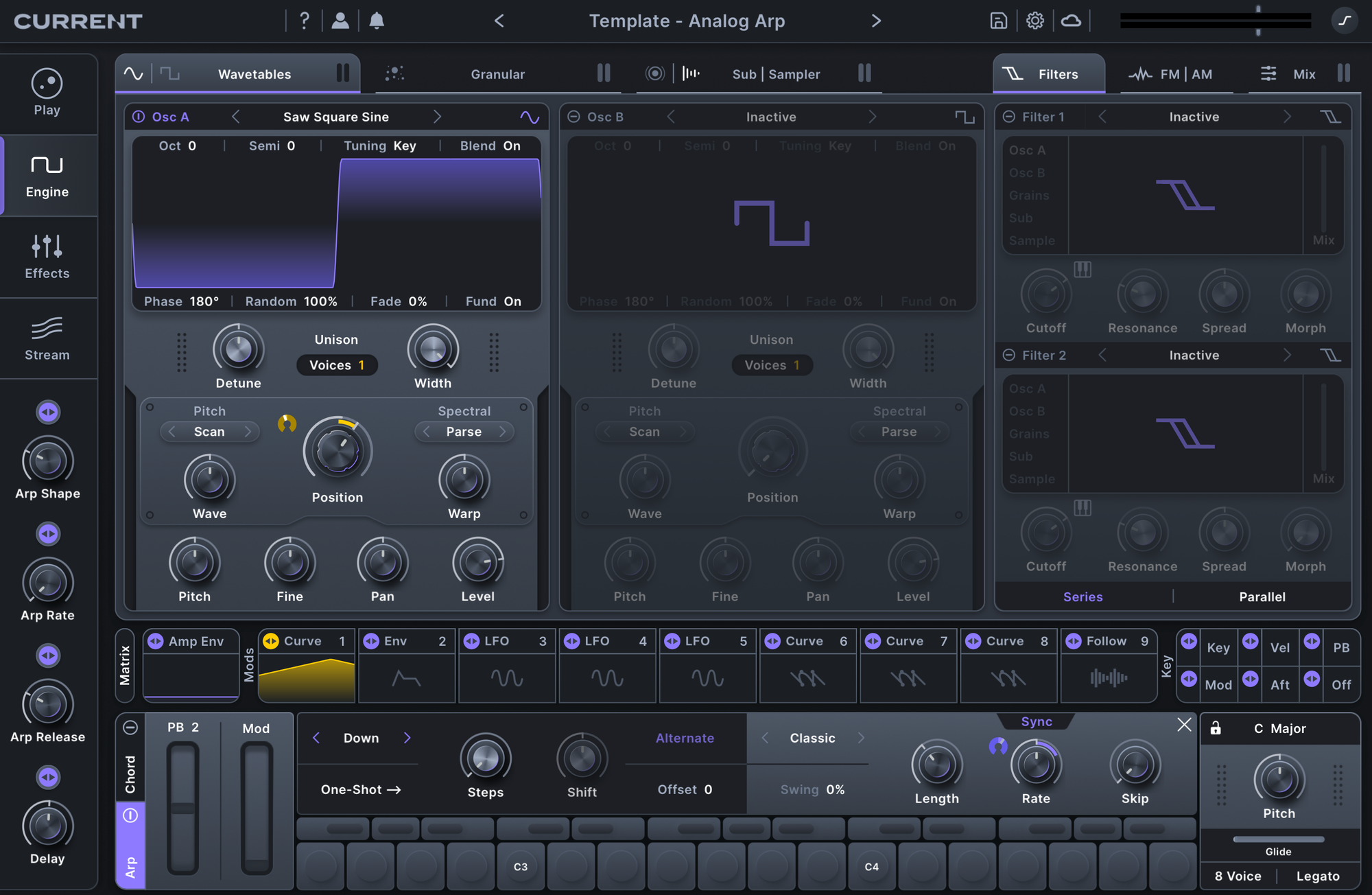
Arps are easy to overcomplicate, which makes them a good candidate for simplification. This setup starts with a single oscillator and a touch of noise, keeping the sound focused while leaving plenty of room for movement through modulation.
Instead of building multiple arp presets, map the musical decisions to macros so the pattern can evolve as you write:
- Macro 1: Arp Shape
Adjusts the amp envelope to change how the arp speaks, shifting between short, plucky hits and more legato motion. - Macro 2: Arp Rate
Controls the speed of the pattern, making it easy to move between rhythmic densities without touching the sequencer. - Macro 3: Arp Release
Extends or tightens the length of each step, changing how notes overlap and interact. - Macro 4: Delay
Adds secondary rhythm and space, turning a simple pattern into something more layered without rewriting the part.
With these macros in place, the arp becomes a flexible starting point instead of a fixed pattern. Use this template whenever you need motion that adapts quickly to a track’s tempo and feel.
Chord Synth
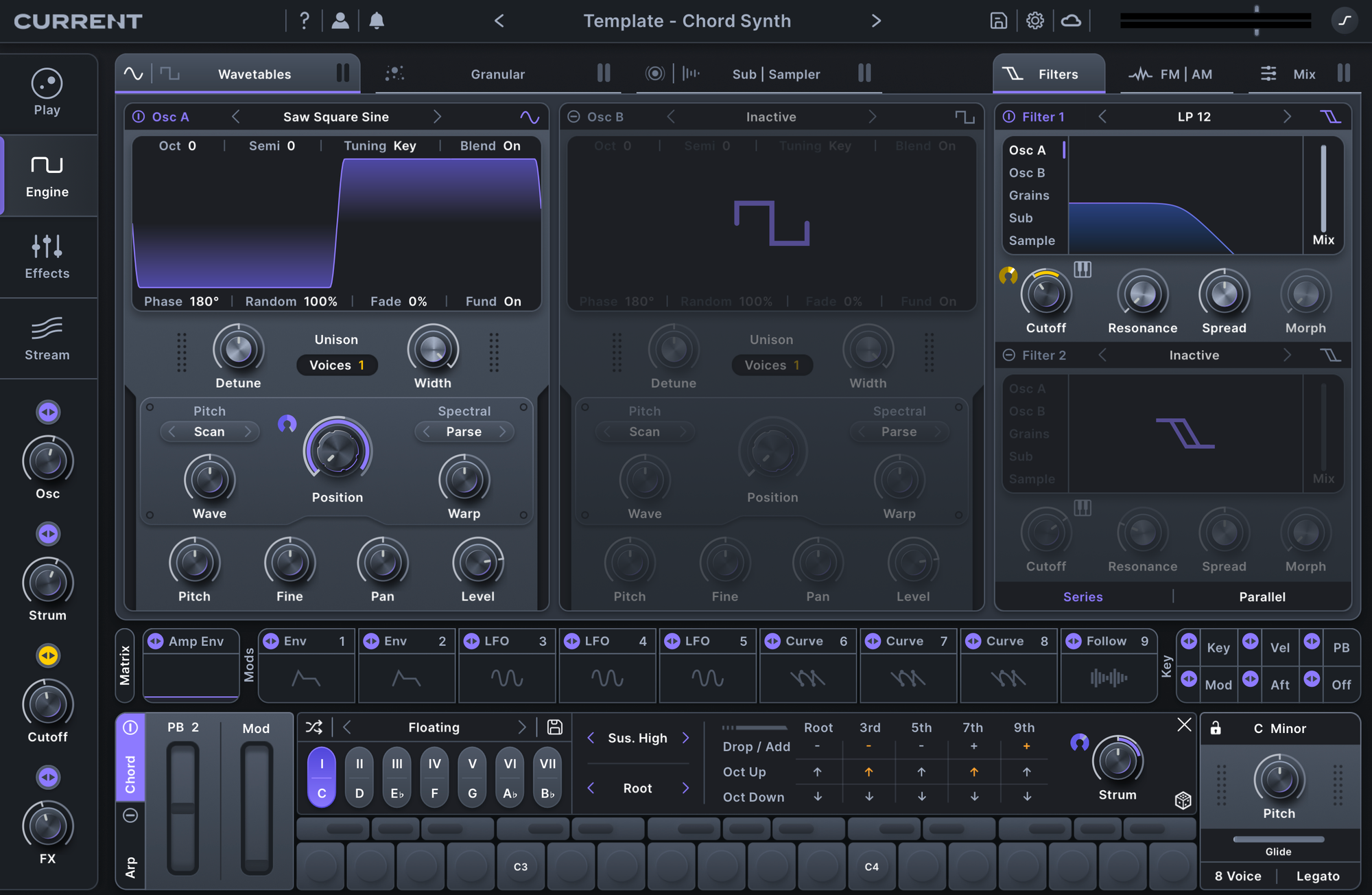
Chord writing often stalls when too many voices or layers get involved. This setup keeps things simple by using a single oscillator with Chord mode enabled, letting harmony come from one source instead of stacked tracks.
The macros focus on the controls that shape feel and space while you’re writing:
- Macro 1: Osc Shape
Shifts the harmonic character of the chord, giving you timbral variation without changing voicing or notes. - Macro 2: Chord Strum
Offsets the timing between voices, adding movement and human feel to otherwise static chords. - Macro 3: Master Cutoff
Controls brightness across the entire patch, making it easy to place chords in the mix as the arrangement develops. - Macro 4: FX
Blends in spatial processing for width and depth, letting the chord move from dry and direct to washed-out and atmospheric.
Once mapped, this patch becomes a quick way to sketch harmonic ideas without building complex chord stacks. Use this template whenever you need chords that stay flexible as your track takes shape.
Classic Reese
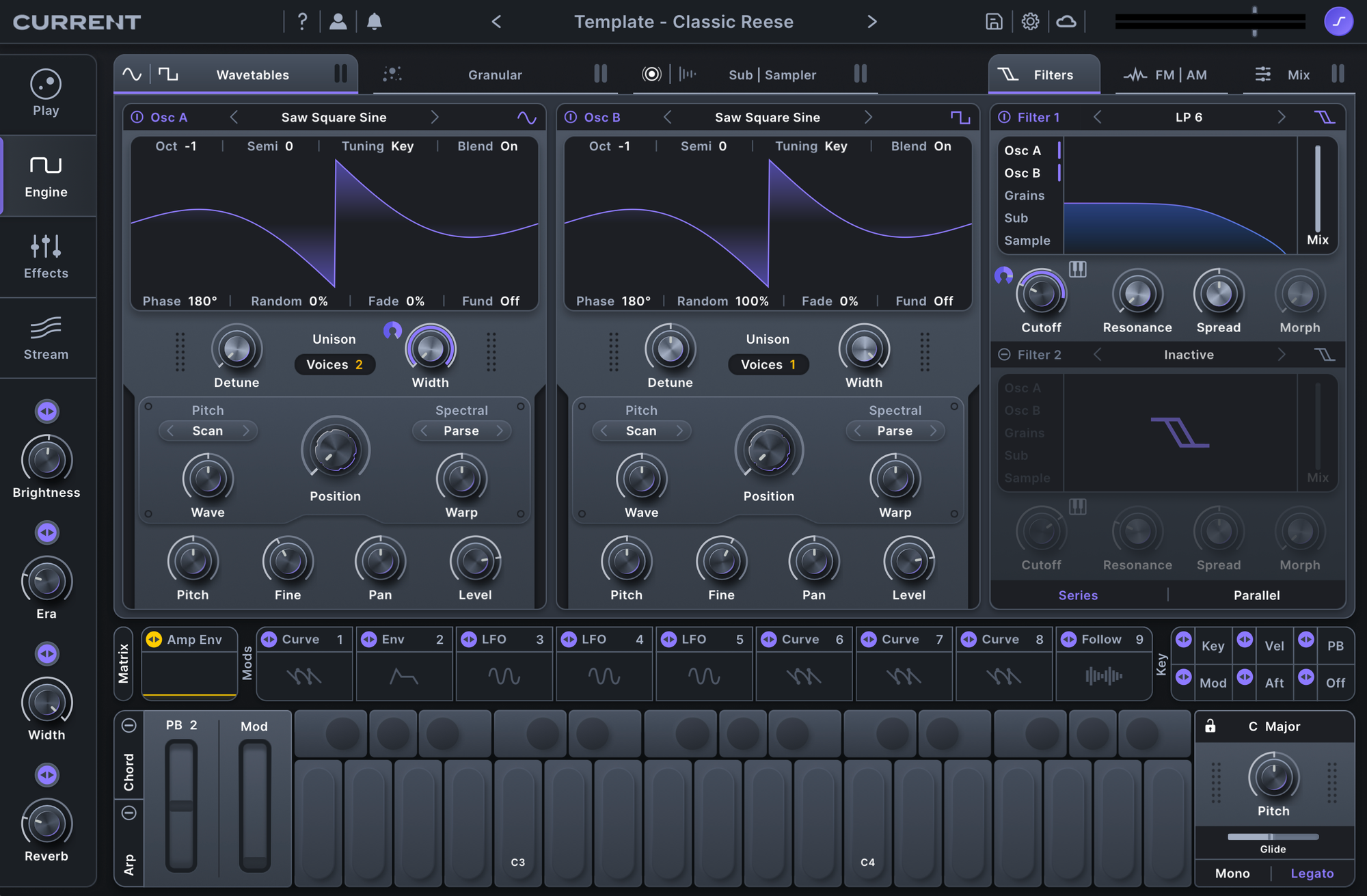
This template starts with 12 detuned saws for width and motion, paired with a sub fundamental layer to anchor the low end.
- Macro 1: Brightness
Controls the master cutoff, letting you move from dark, rolling low end to more aggressive midrange presence. - Macro 2: Era
Introduces distortion and filtering to push the sound toward a more vintage character, adding grit and weight without separate processing chains. - Macro 3: Width
Expands or tightens the stereo image, making it easy to adjust how the Reese sits against drums and other bass elements.
This patch is a go-to starting point for heavy bass writing.
Granular Pad
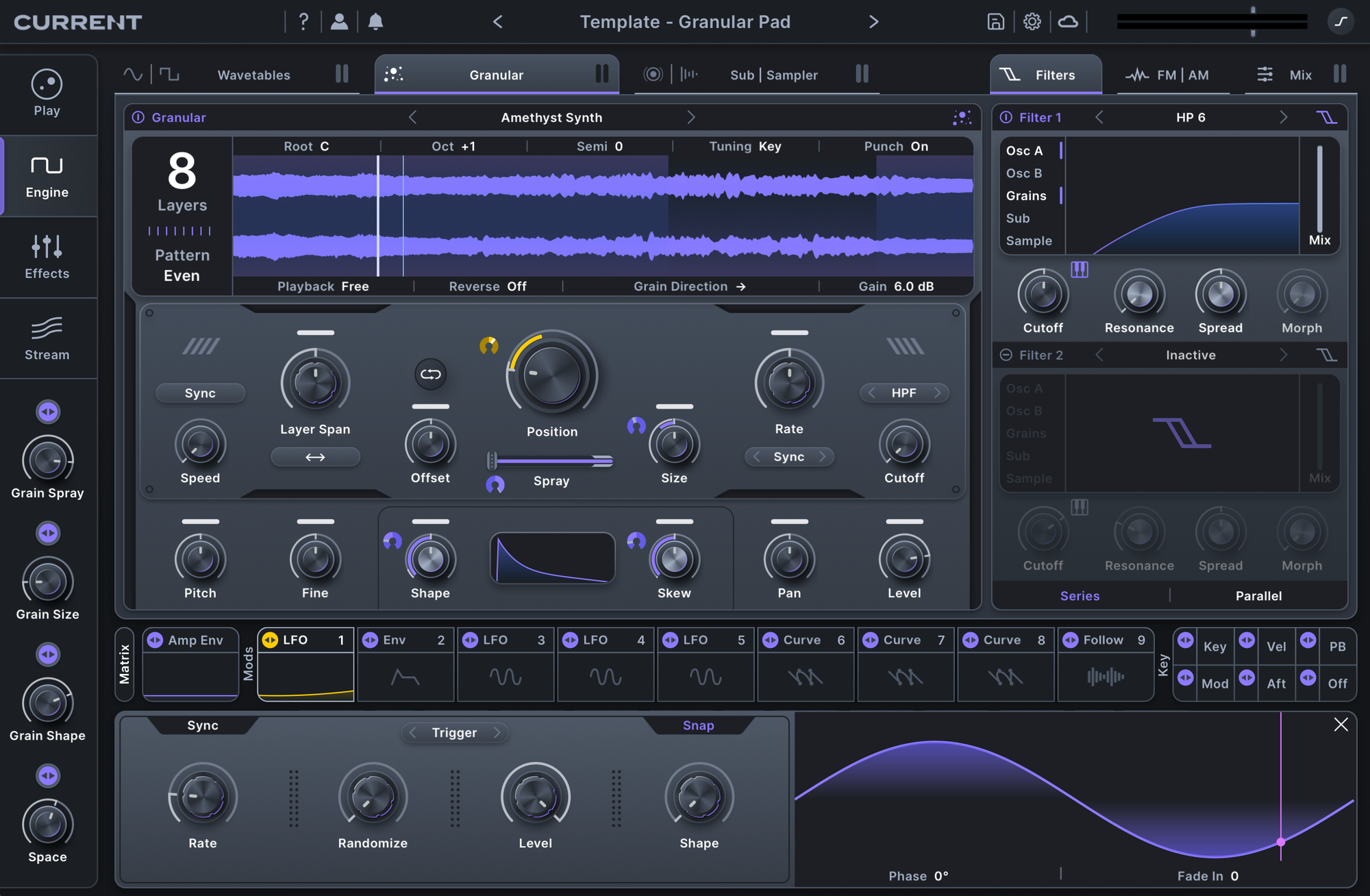
Granular pads are a great way to introduce motion without demanding constant attention from you as a producer. This template starts with a tonal sample loaded into the Granular engine, giving you a harmonic base that can stretch and shift over time.
The macros are mapped to the parameters that control density, movement, and space:
- Macro 1: Spray
Spreads grains across the source sample, moving from focused, tonal playback to more dispersed, evolving texture. - Macro 2: Grain Size
Controls how much detail is revealed in each grain, shifting the pad from smooth and blended to more fragmented and expressive. - Macro 3: Grain Shape
Adjusts the contour of each grain, changing how sharply the texture articulates and how it sits in the mix. - Macro 4: FX
Blends in spacious processing to place the pad in a wider, more atmospheric environment.
Once set up, this pad becomes a living layer you can drop into different sessions. Swap the source sample, save the patch as a template, and let subtle motion carry the sound while you focus on the arrangement.
Keys
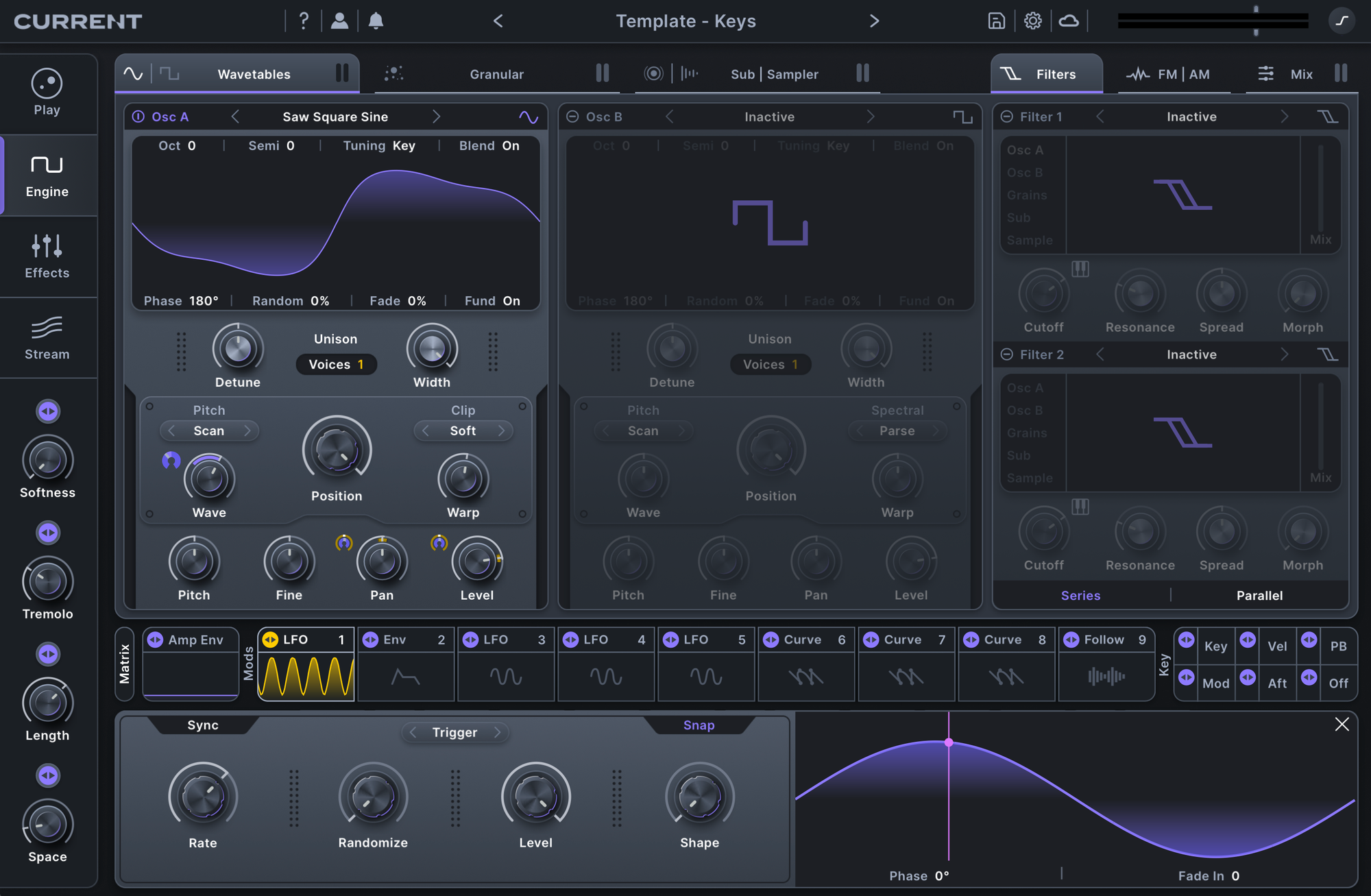
This keys template starts with a soft-clipped sine wave, creating a rounded, Rhodes-like tone that sits naturally in a mix without dominating it.
The macros focus on feel and expression rather than complexity:
- Macro 1: Osc Shape
Adjusts the harmonic content of the tone, moving from smooth and mellow to slightly more present. - Macro 2: Tremolo
Adds gentle movement, introducing pulse and character without overpowering the part. - Macro 3: Length / Release
Controls note length and tail behavior, making it easy to shift between tight, percussive chords and longer, sustained phrases.
This patch works as a dependable harmonic foundation. It adapts quickly to different tempos and arrangements, letting you sketch progressions and move forward in your composition.
Modern Pluck
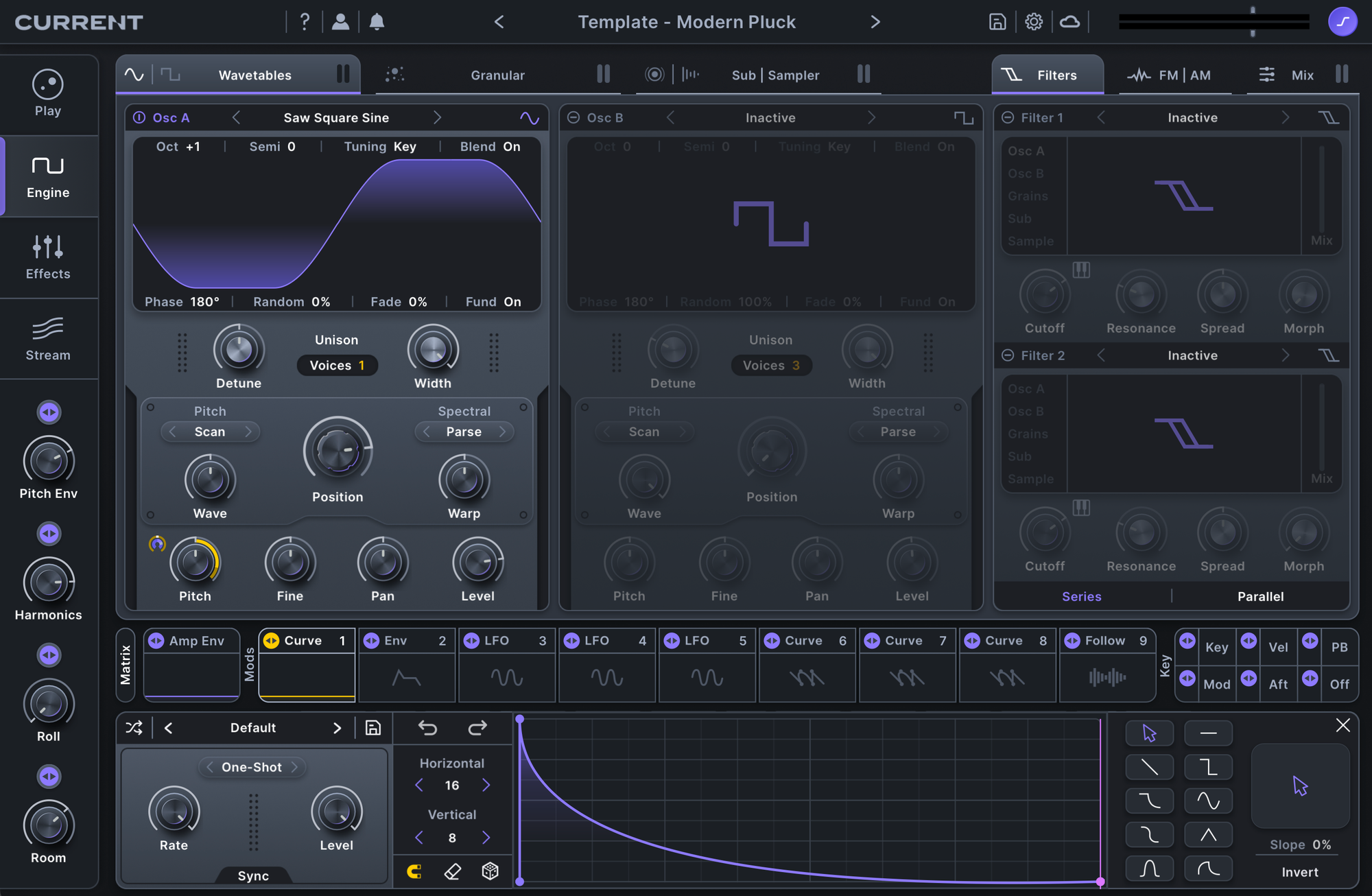
Plucks work best when their impact is easy to control. This template starts with a basic oscillator, keeping the sound clean and direct so the character comes from shaping rather than layering.
- Macro 1: Pitch Env
Introduces a pitch envelope to sharpen the transient, adding snap and definition to the attack. - Macro 2: Feedback
Adds oscillator feedback for harmonic weight, letting the pluck move from clean to more aggressive. - Macro 3: Cluster Delay
Creates a stylized rolling effect, turning a single hit into rhythmic movement without extra sequencing. - Macro 4: Room Reverb
Places the pluck in a small space, giving it presence without washing out the detail.
This patch is a quick way to dial in percussive melodic ideas. Save it as a template and adjust the macros as the groove and arrangement evolve.
Rave Lead
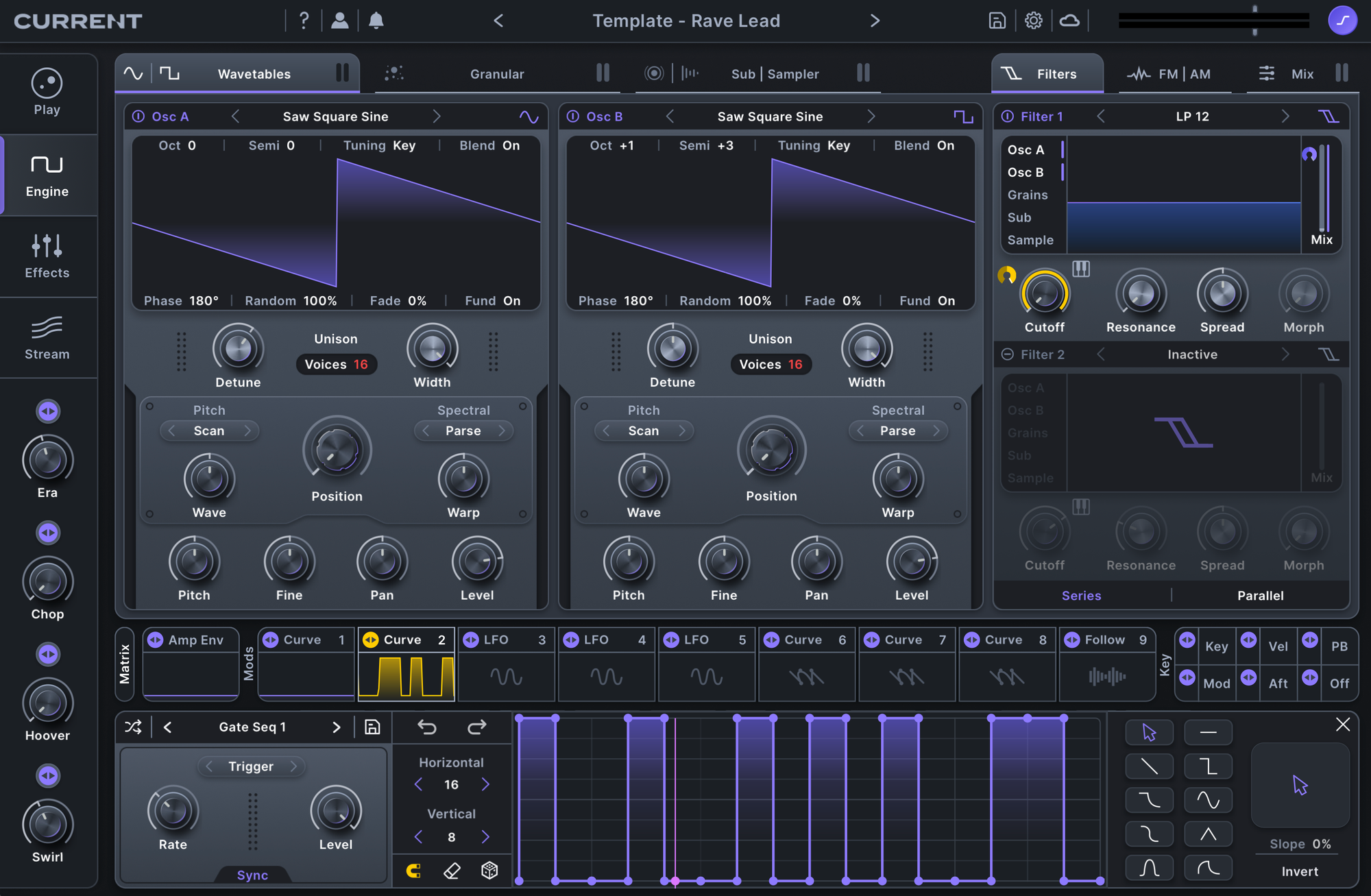
This template starts with two 16-voice unison oscillators, with the second oscillator tuned up three semitones for instant lift and tension. It’s a fast way to get a lead that feels wide and physical before you touch any extra layers.
- Macro 1: Era
Adds filtering and distortion to push the lead toward a more vintage character—tighter, dirtier, and more forward. - Macro 2: Chop
Introduces a pulsing rhythm, turning sustained notes into a locked groove without rewriting the part. - Macro 3: Hoover
Adds a pitch envelope to the attack for that classic hoover-style bite and urgency. - Macro 4: Swirl
Adds phasing movement with Ripple Phaser, giving the lead motion and rotation without smearing its impact.
Use this patch to drop in a lead that already has width, lift, and control—then shape it to the track with the four macros.
Sequenced Lead
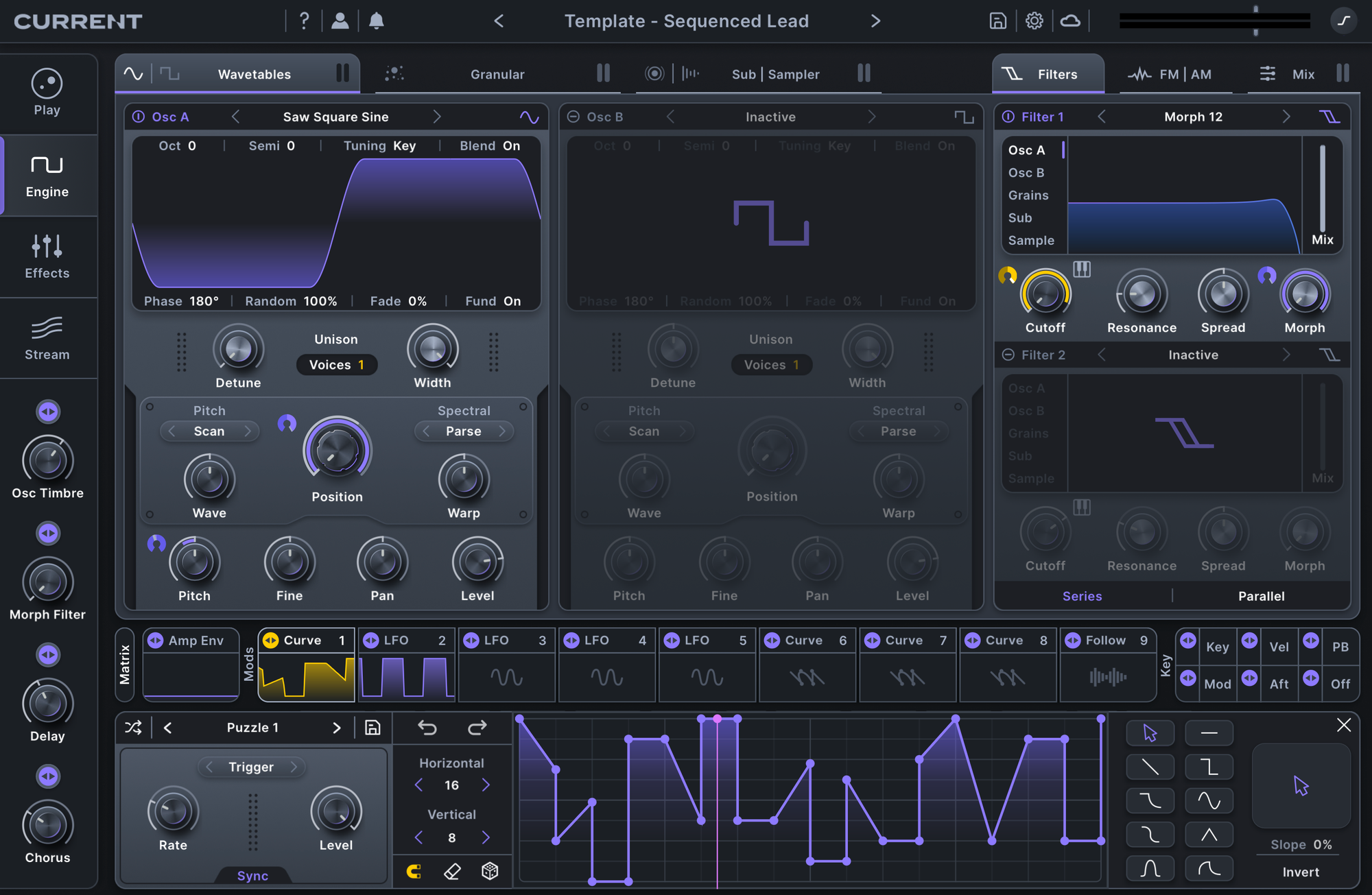
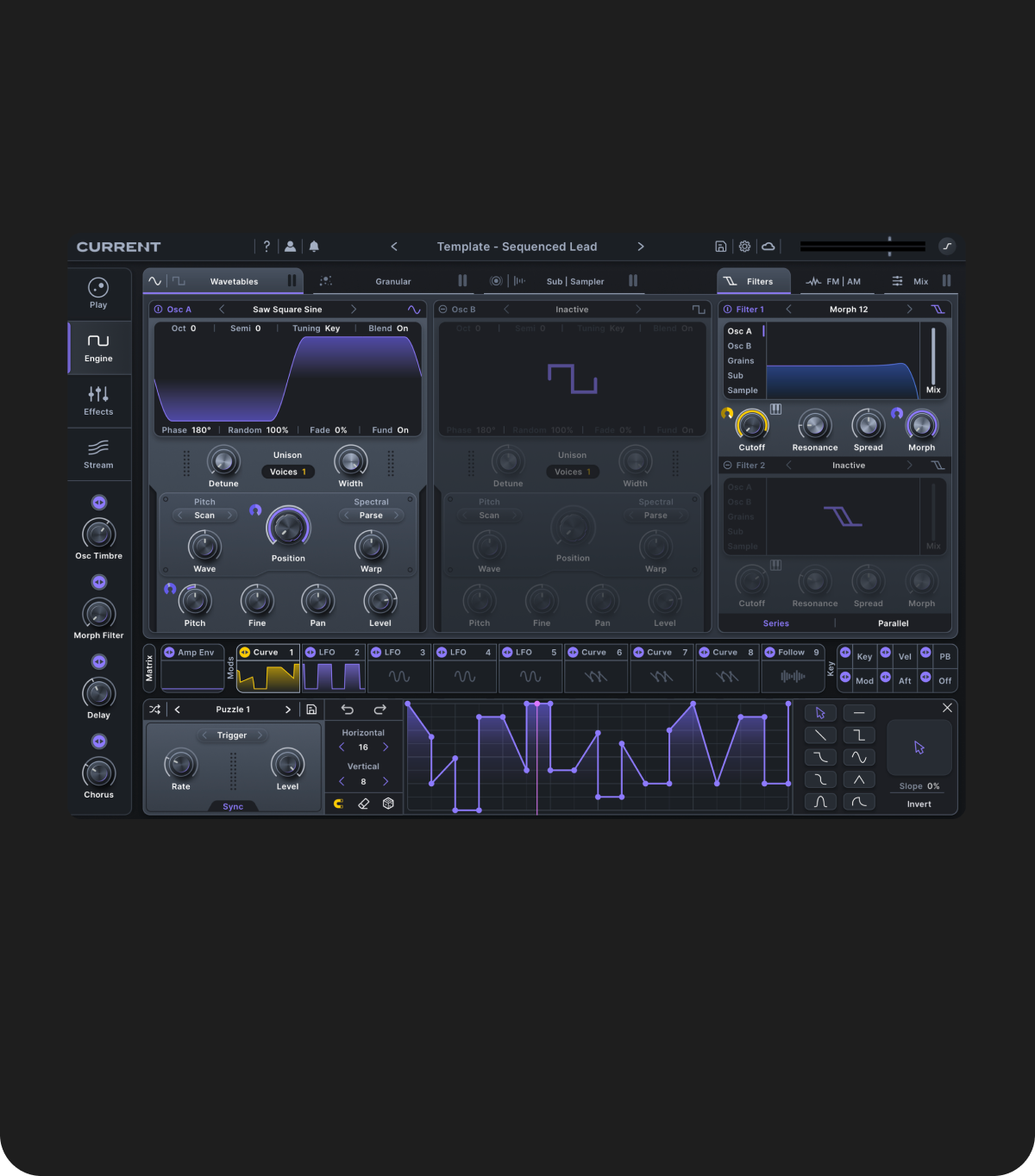
This template starts with a basic morphing oscillator paired with sequenced, modulated filtering, so the movement is built into the sound instead of added later with more layers.
The macros keep the sequence flexible while you’re writing:
- Macro 1: Osc Timbre
Controls oscillator position, shifting the tone as the pattern runs to create variation without changing notes. - Macro 2: Morph Filter
Changes the filter type, letting you reframe the same sequence as smoother, sharper, or more aggressive with one control. - Macro 3: Delay
Adds additional rhythmic detail and stereo motion, extending the sequence and creating interlocking repeats.
Swap notes, adjust macros, and keep the groove evolving without rebuilding the patch.
Wobble Bass
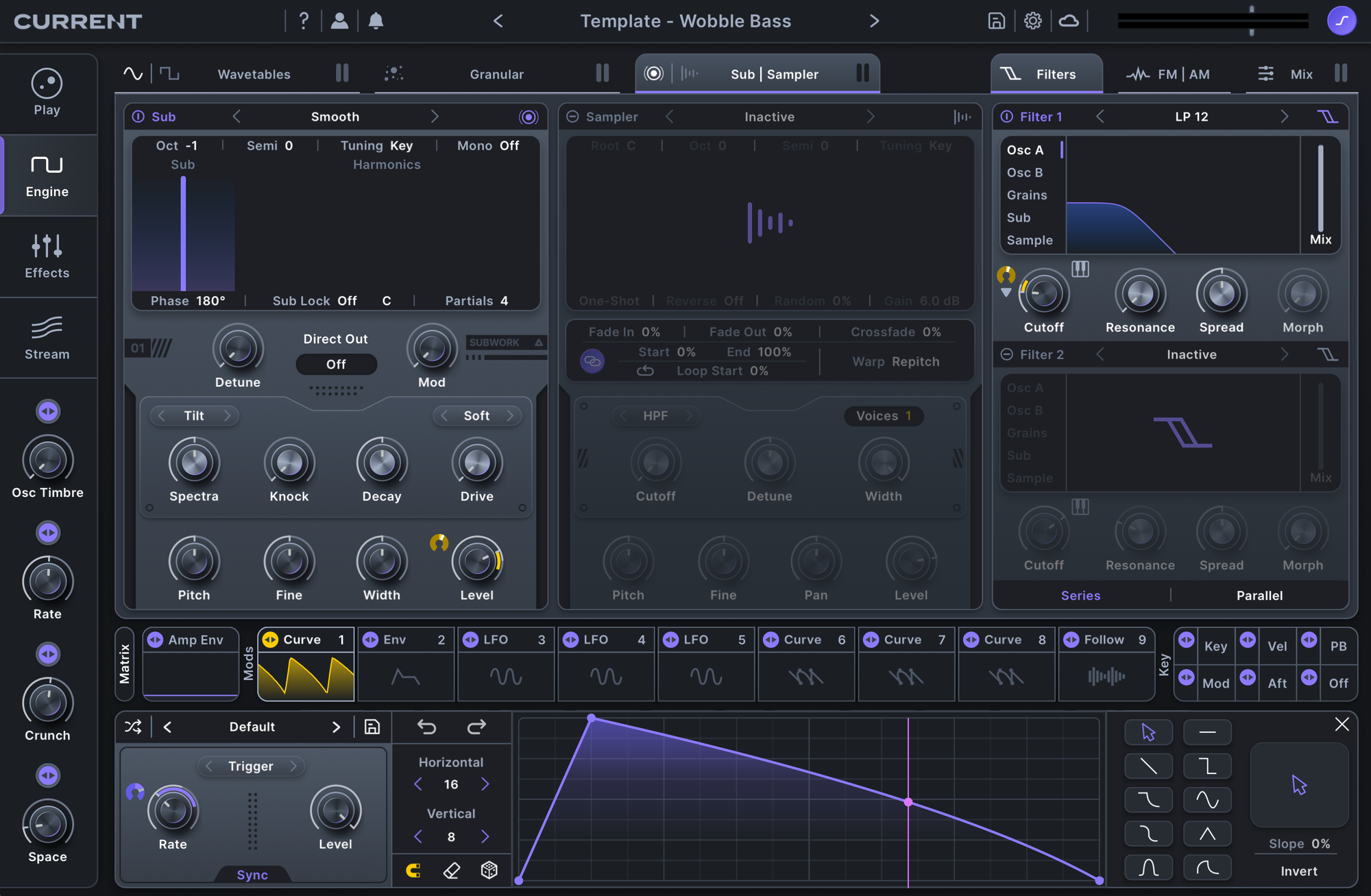
A wobble bass works best when its motion is easy to adjust without breaking the low end. This template starts with a basic morphing oscillator, keeping the core tone solid while leaving room for modulation to do the work.
- Macro 1: Osc Timbre
Controls sync and oscillator position, changing the harmonic shape of the wobble without affecting its fundamental weight. - Macro 2: Rate
Sets the wobble speed, making it easy to lock the movement to the groove or push it into faster rhythmic patterns. - Macro 3: Crunch
Adds distortion for extra aggression and presence, helping the bass cut through dense mixes. - Macro 4: Space
Blends in subtle reverb to give the wobble dimension without washing out the low end.
This patch lets you dial in movement quickly and keep it under control as the track develops.
These ideas and templates are built to get you moving in Current.
Use these patches as foundations, save what you build into templates, and evolve them into your own go-to setups.
Don't have Current? Save 70% with the Current Essential Bundle